What problem it solves
A power outage that lasts longer than the UPS runtime shuts servers down abruptly. The typical result: corrupted databases, lost files, and hours of manual restarts. Often no one finds out in time that a UPS has switched to battery, especially at a site without IT staff.
UPS Manager monitors all of the company’s UPS units from a single screen and shuts servers down in the set order before the batteries run out.
What it does in practice
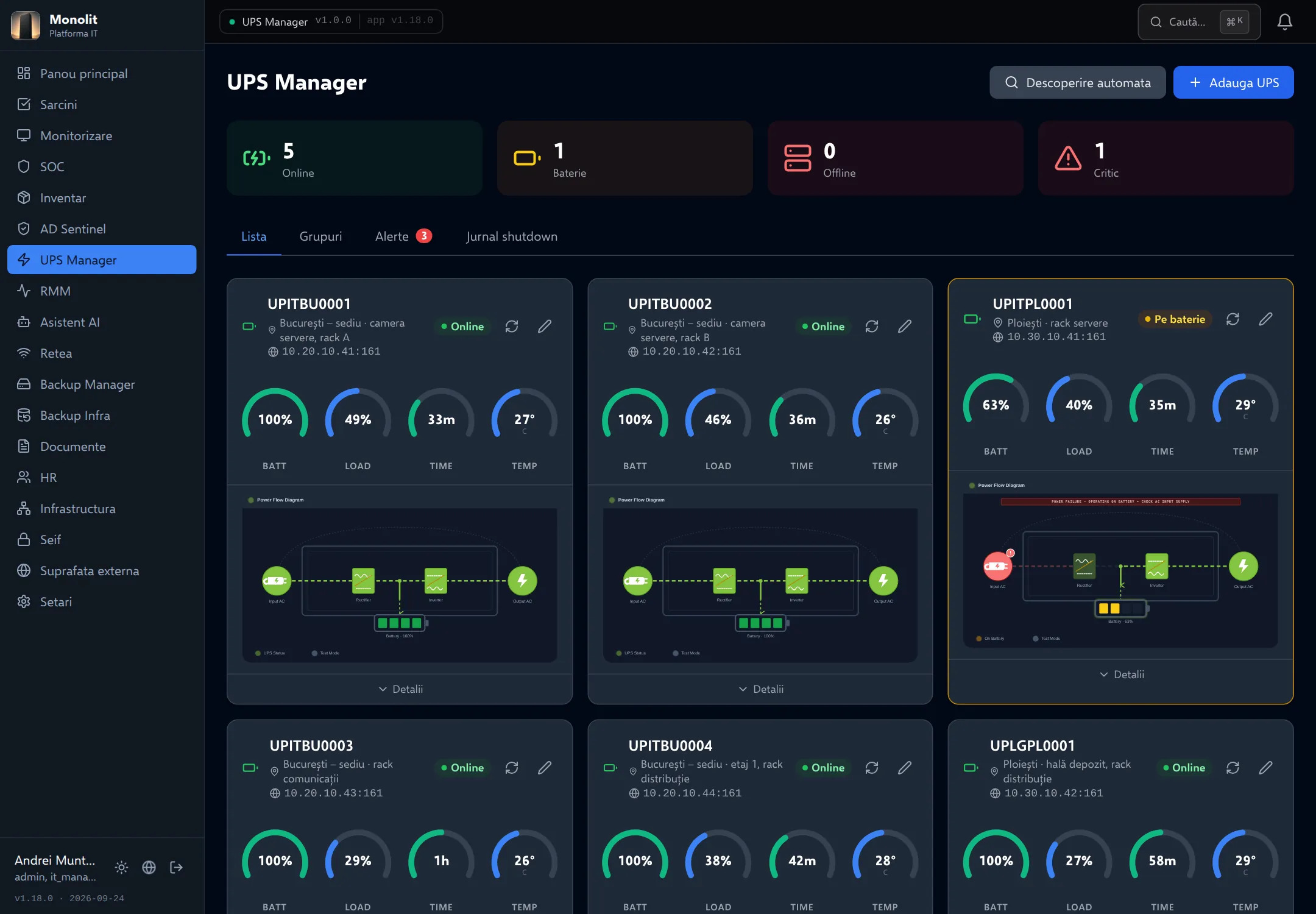
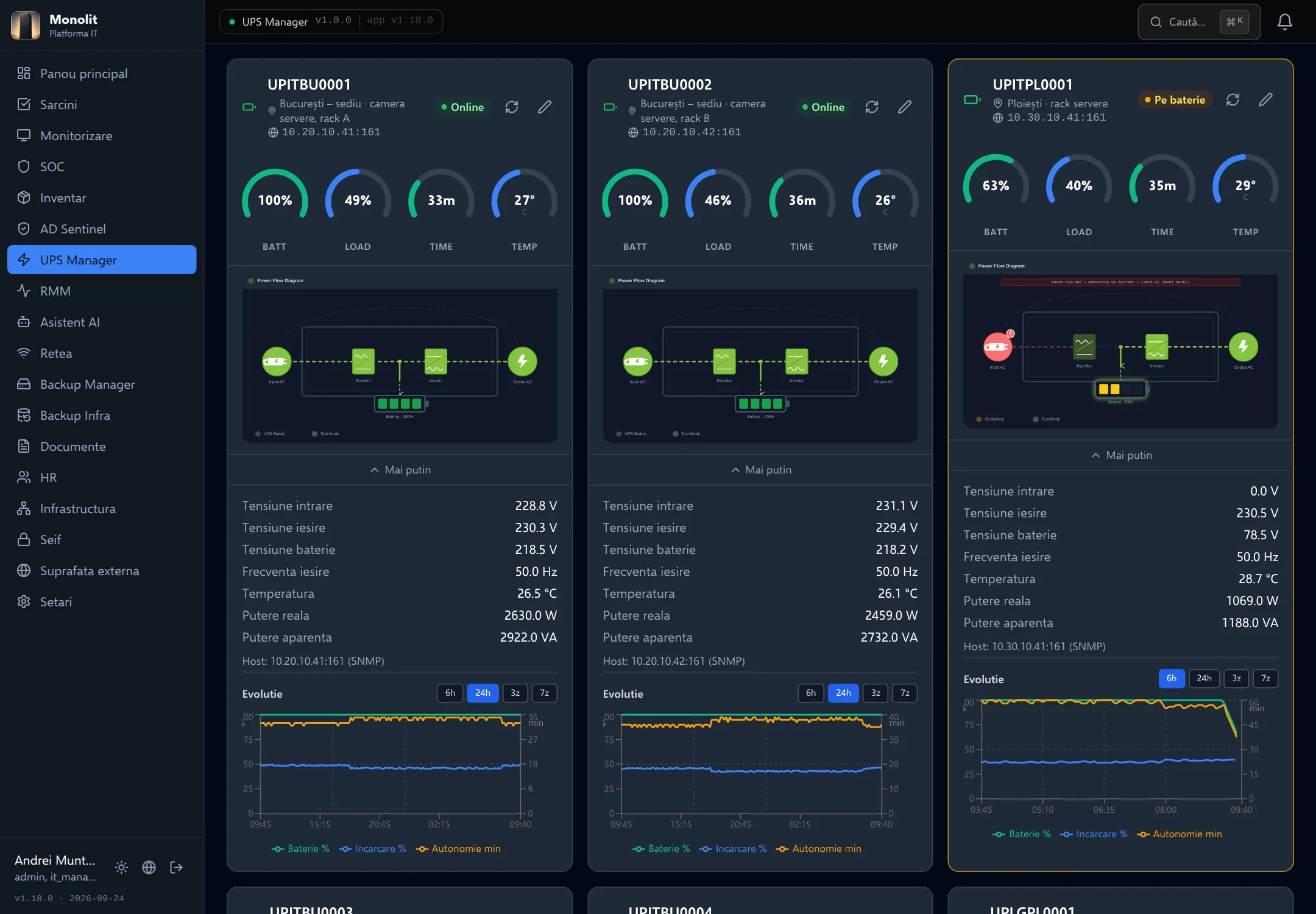
- Reads the status of each UPS over the network: battery level, load, remaining runtime, temperature, and input and output voltages.
- Shows a power-flow diagram for each UPS. When utility power is lost, the diagram and the card change color immediately.
- Keeps a history of the measurements and charts the recent trend of battery, load, and remaining runtime.
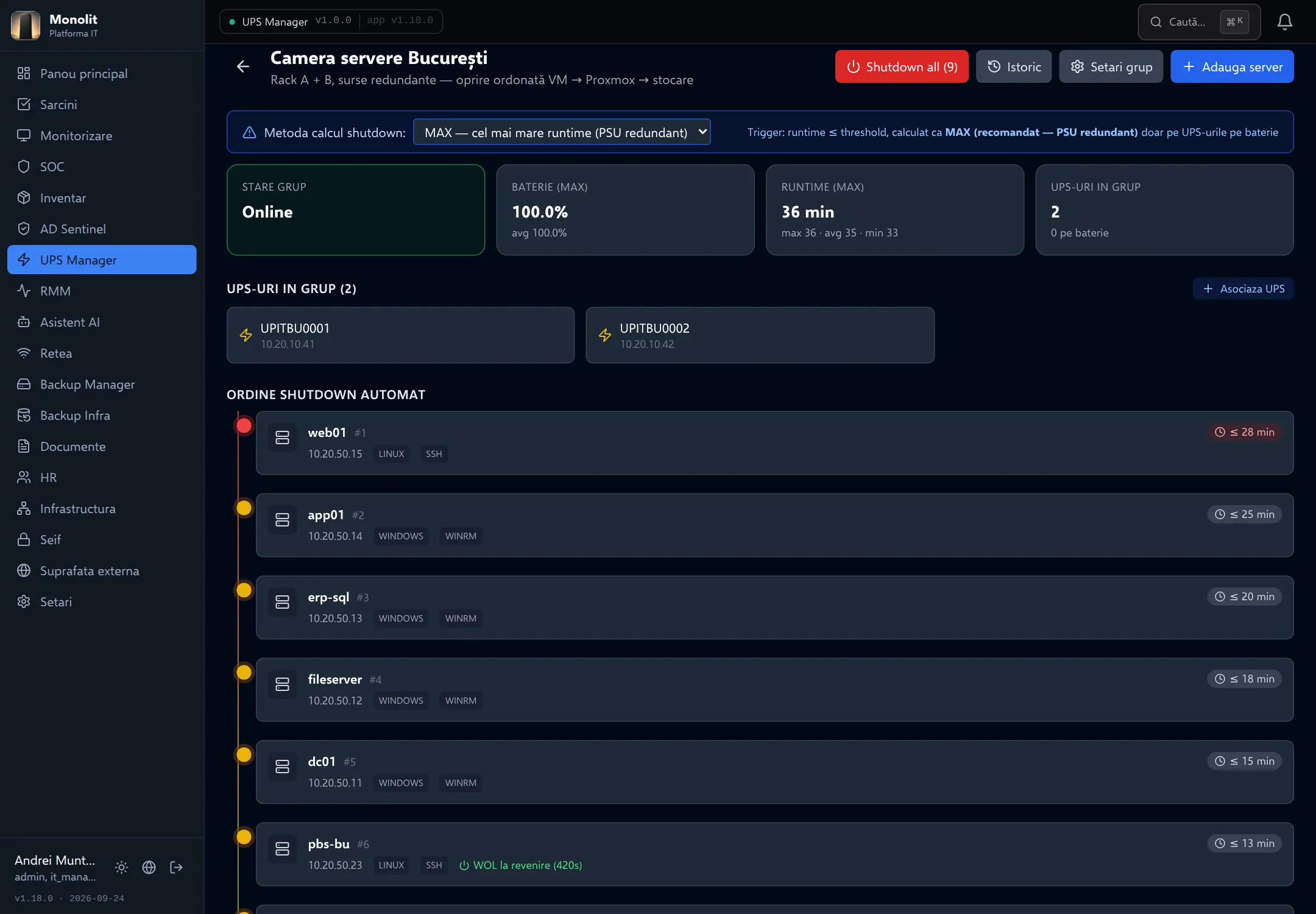
- Groups UPS units with the servers they power. For each server, you set the remaining runtime at which it shuts down.
- When power is lost, automatically shuts servers down one by one as their thresholds are reached, each only once, even if Monolit restarts during the outage. When power returns, it can start back up via Wake-on-LAN only the servers it shut down; a server deliberately shut down by a person stays off.
- Sends email and SMS alerts, with the levels (info, warning, critical) chosen separately for each channel. A shutdown that could not be completed or confirmed triggers a critical alert.
- Keeps a log of every shutdown and every Wake-on-LAN startup, automatic or manual, exportable to CSV.
- Automatically discovers the UPS units in a subnet.
- UPS units and the servers they power appear on the infrastructure map built by the Monitoring module. Outages also reach SOC, as operational issues, without raising the threat level.
- Configuration, server shutdown, and Wake-on-LAN are for administrators and the IT manager only; the rest of the IT team sees the status.
Workflows
1. A power outage at one site
- The UPS switches to battery. Monolit sends an email warning, and in SOC the outage appears as a critical alert. SMS can be reserved for critical events, for example the start of a server shutdown.
- The UPS card turns yellow; the group shows the remaining runtime and the threshold at which shutdown begins.
- If runtime drops below the threshold, the servers in the group receive the shutdown command in the configured order, each only once.
- When power returns, the servers marked for automatic startup that Monolit shut down during this outage start via Wake-on-LAN, after the set delay. A server shut down manually stays off. If power returns only briefly, startup waits until power is back for good.
- Everything stays in the log, with the time, the result, and the duration of each operation.
2. Scheduled electrical maintenance
- The IT manager or an administrator opens the affected group and clicks “Shut down all”.
- The servers shut down in staggered order, following the timeline.
- After the work, the physical servers are started via Wake-on-LAN from the same page.
3. Periodic check
- Before maintenance, the IT manager runs “Test connection” on each server.
- A failed test (for example an expired service password) shows its exact error in the server’s row or form, so it can be fixed before a real outage.
Benefits and metrics
- Time to learn about an outage: seconds, through an alert, instead of reports from users.
- Number of uncontrolled server shutdowns during a power outage: the target is zero.
- For each group: the remaining runtime compared with the shutdown threshold, visible in real time.
- For each server, the result of the last shutdown (successful or failed), visible on the group page.
- The number of UPS units online, on battery, and offline, in the module header; on the main dashboard, how many UPS units are online out of the total and how many are on battery.