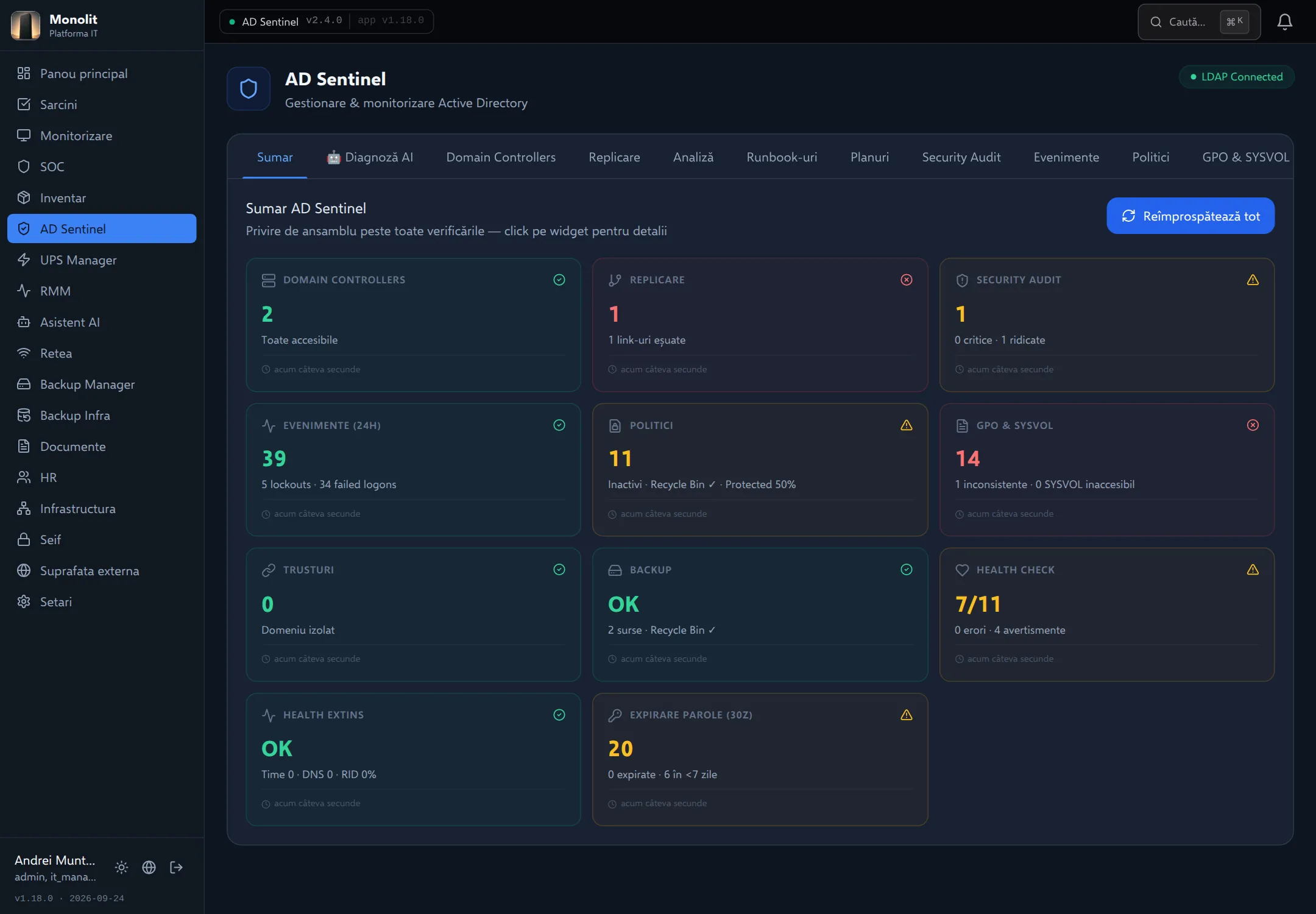
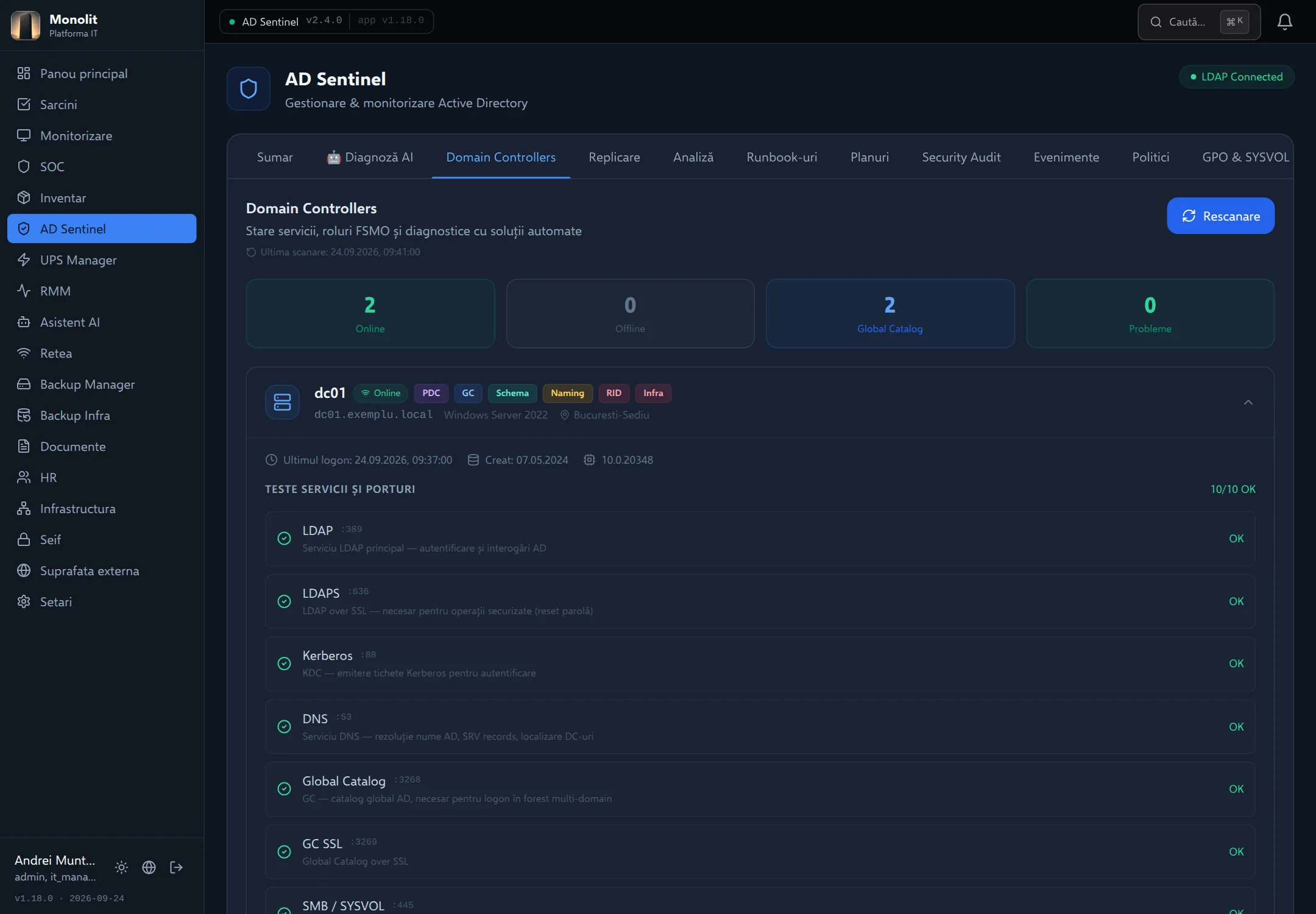
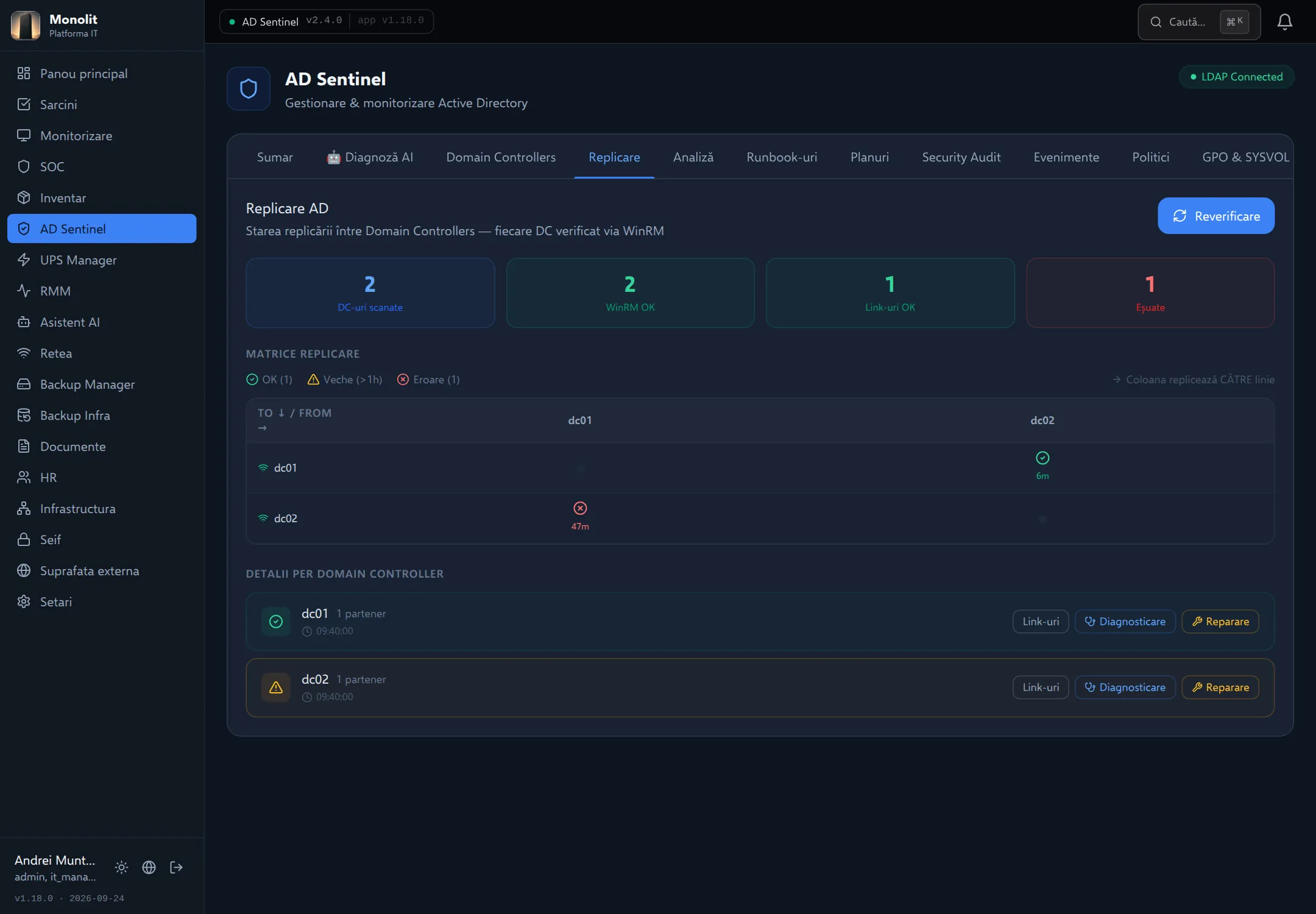
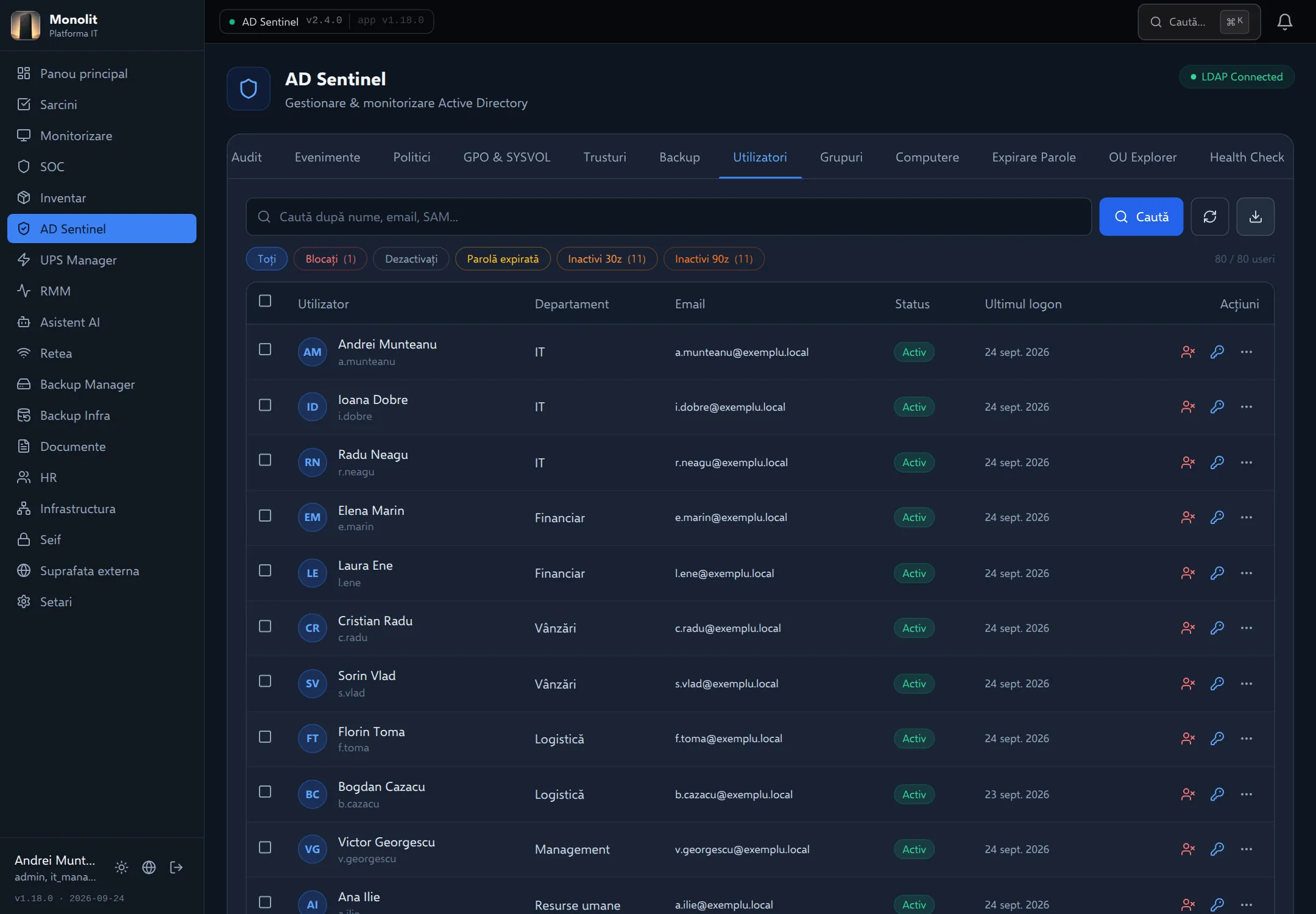
How it connects. AD Sentinel works directly with the company’s domain controllers: it reads the directory and performs account operations over LDAPS, and it runs diagnostics and procedures on the controllers through Windows Remote Management (WinRM). The service account passwords come from the platform’s Vault. Interpreting the logs in natural language (the “AI diagnosis” tab) is done by the platform’s AI assistant, with the local model. A slow controller does not block the other screens.
Connection to the directory. Verified LDAPS only: the controller’s certificate must be issued by the company’s certificate authority and carry the controller’s name. Without the authority’s public certificate, the module does not connect, and it never falls back to an unverified connection. An unsigned connection can be enabled only explicitly, in the server configuration, and it then shows as insecure in the test and in the health check. Configuration is done in Settings, using the controller’s full name; the form warns about values that would lead to a rejected connection. The saved password is sent only to the domain’s known controllers, and each connection test is audited, without the password.
Minimum rights on controllers. Reads are done with an account without administrator rights. Repairs use a separate account with administrator rights, or credentials entered at run time. When one path fails, Monolit does not automatically try another account or another path: the error stays visible. Communication with the controllers is encrypted.
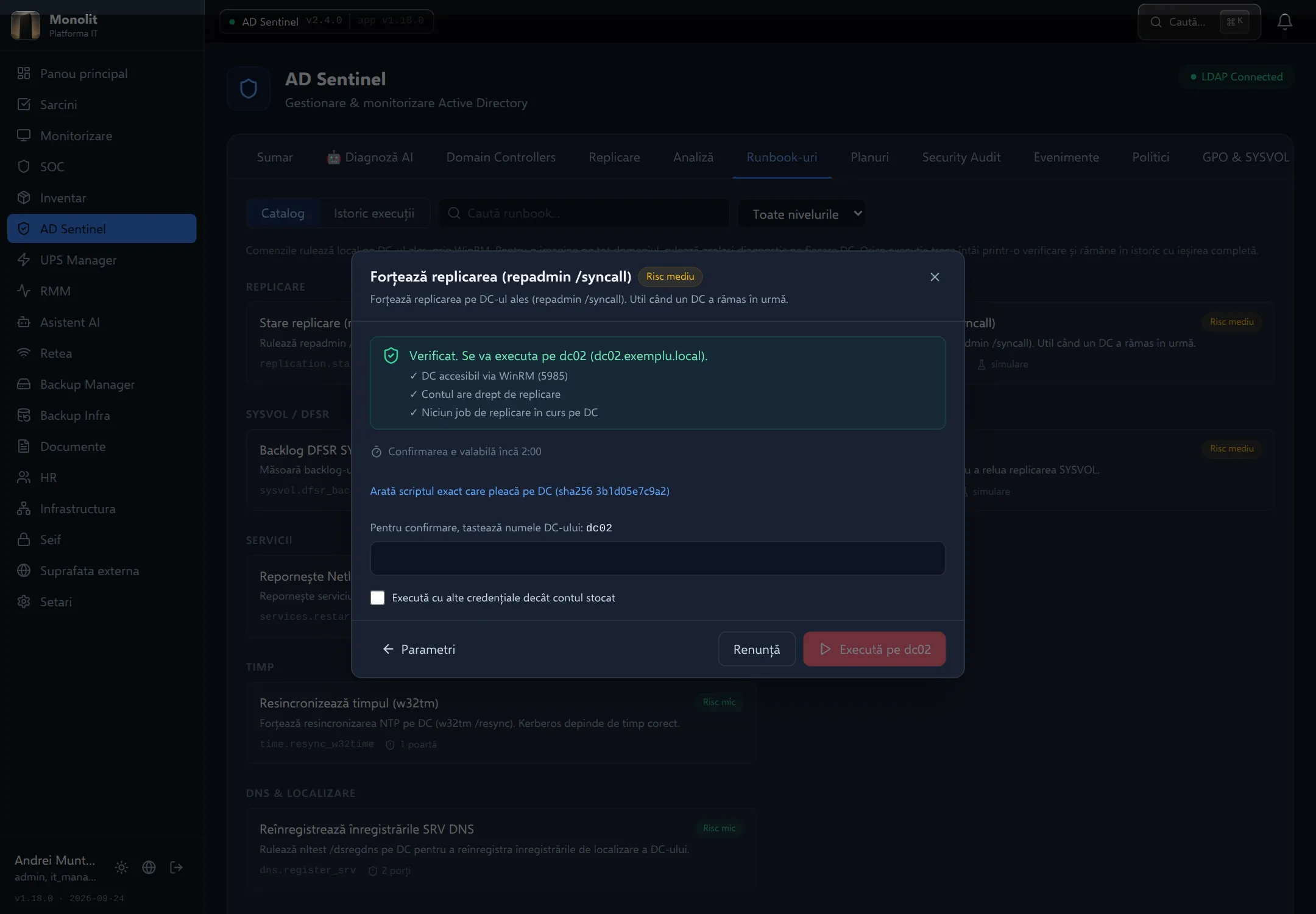
Procedures with checks and confirmation. Each procedure (runbook) has a risk level: diagnostic, low, medium, or high. Before execution, Monolit runs the procedure’s safety checks and shows exactly what will run, and a person confirms. The higher the risk, the more the confirmation requires: the controller name typed in, administrator credentials entered at run time and not saved, and, for high risk, also a successful dry run done by the same person shortly before. Each execution stays in the history, with the full result, the follow-up checks, and the account it ran under. Plans chain several procedures across several controllers, in the right order, and Analysis gathers evidence from all controllers and suggests the right procedure or plan.
System state backup. A low-risk procedure, with a dry run, schedules the System State backup on the controller: once, daily, or weekly, at the chosen time, with the number of retained versions chosen by the administrator. The target is another volume or a share on another server; a target on the controller itself is rejected. Windows Server Backup is installed if missing, without a restart. An existing schedule is not changed without an explicit request, and any change appears in the job result, with the old and the new schedule.
Rescheduling does not interrupt a backup in progress. Each run leaves a log on the controller, and a run that did not start shows as failed. A scheduled run postpones itself, with the reason written down, when it could disrupt the replication of the domain’s policy folder. A status card shows the schedule, the next run, the free space on the target, the latest runs, and the retained versions. It warns when free space is low or when a run left no log.
Service accounts by role. Three roles: monitoring (read only), helpdesk (unlock, enable, password reset), and repairs (the procedures on controllers; actually running medium- and high-risk ones additionally requires administrator credentials at run time, which are not saved). The accounts are configured in Settings → “Service accounts”: the password is first checked against the directory, so a wrong password does not end up in the Vault, and the secret is kept in the platform’s Vault, with access limited to that role. An account that is configured but cannot be read from the Vault gives an error: Monolit does not silently switch to another account. Deleting a secret from the Vault requires two-person approval.
Check account access. For the monitoring or repair account, on a domain controller, Monolit shows whether the problem is the password, the account state (locked out, disabled, expired, time or workstation not allowed), the remote access right, or a controller that is not responding. It changes nothing on the controller, does not try a wrong password more than once, and works only with the domain’s known controllers, so the password is not sent to an arbitrary address. The check is reserved for administrators and the IT manager and is recorded in the audit log and in the session log.
Lockouts, expirations, and inactive accounts. The lockout state and the password expiry date come directly from the controller, so they also take into account different password policies for different groups of users. Inactive accounts, the security audit, and the weekly report are calculated from the same data.
Service status on controllers. Monolit shows the status of each controller’s essential services (the directory, DNS, Kerberos, Netlogon, replication, time synchronization) and tells a stopped service apart from one that the read account is not allowed to see, so that it does not suggest starting a service that is actually running. So that an account without administrator rights can see the status, the module comes with a script that grants it, on each controller, only the right to read the status, without starting, stopping, or changing anything. The script first shows what it will change, keeps the old settings, and can restore them. A new controller or a reinstallation of the role requires running the script again.
AI diagnosis. AD Sentinel collects the relevant controller logs and the service status, and the local AI assistant explains them. The Security log is not included, and the account or workstation that produced an event is not collected. Each collection is attributed: the account used, the operation, who requested it, and, on an error, whether Monolit could not read or the command failed on the controller. The guarantees:
- a collection error does not reach the AI: it is shown as such, with what the user needs to check;
- each finding cites the events it relies on; one without evidence, or on a different topic than its evidence, is marked “not supported by the data”;
- known situations that are not real problems are explained by Monolit, not guessed by the AI;
- the AI cannot lower the severity below the level set by Monolit, and a summary that claims a compromise without evidence is replaced;
- a service state that could not be read does not reach the AI as a fact;
- text from the logs reaches the AI as data to analyze, not as instructions; in any case, the AI cannot execute anything, and the suggested actions remain limited to the closed list.
The suggested actions are only procedures from a closed, low-risk list: diagnostics, starting or restarting an AD service, resynchronizing the clock, re-registering in DNS. They are suggested only on the finding’s controller, never on one that Monolit could not read, and starting a service only if it is certain that the service is stopped. The button opens the same flow as any procedure (check, confirmation, audited job) and appears only for administrators and the IT manager. Other suggestions appear as recommendations to carry out manually, and those that would widen the rights of any account are removed.
Integrations. Active Directory (Windows Server controllers), the platform’s Vault for passwords, the local AI assistant, the Documents module, and SOC, which receives the security events from the controllers (account lockouts, failed sign-ins, additions to and removals from groups) and the log of Monolit interventions. Events from the controllers can also come from the Monolit agent installed on them, without remote sessions. The connection and the service accounts are configured in the Settings tab.
Weekly report. Generated automatically and on demand. Its number of inactive accounts becomes automatic evidence for NIS2, ISO 27001, and CIS in the Documents module, and the state of the domain appears on the platform’s main dashboard.
Roles and audit. The module is visible only to the IT team (administrators, the IT manager, and IT staff); the menu entry and the “Active Directory” panel on the main dashboard appear only for them. The whole IT team sees the state of the domain, the logs, and the diagnostics. Procedures and plans, checking an account’s access, and configuring the accounts are reserved for administrators and the IT manager, and medium- and high-risk procedures for administrators only. Every change is recorded in the audit log, with the author, target, details, and time. Separately, every intervention of the module on a controller is recorded in the session log: the controller, the account, the operation, who requested it (a person, another module, or a scheduled task), what ran, the start, the end, and any failures. The log can be filtered, and “Who?” immediately finds the session behind an error. The log contains no passwords and no script or error text, and it is kept for a configurable period.
Requirements. Domain controllers with LDAPS enabled, with certificates issued by a company certificate authority whose public certificate is loaded into the module (without it, the module does not connect to the directory), and with WinRM enabled for diagnostics and procedures. A monitoring account with read rights in the directory; for reads on the controllers, the same account, without administrator rights, in the Remote Management Users and Event Log Readers groups and in the group that the module’s script grants the right to read service status. Recommended: separate accounts for helpdesk and for repairs (with administrator rights on the controllers), with their passwords kept in the Vault.
Limitations. Advanced diagnostics (Windows services, resources, live replication) and all procedures depend on WinRM; where WinRM is not available, Analysis accepts summaries collected manually and uploaded as files. With a monitoring account without administrator rights, the checks that require those rights (for example the Windows Server Backup status) return an error on their own row, and the rest of the screen works. Until the role-based accounts are configured, all operations use the monitoring account. AI diagnosis is optional, is part of the AI assistant, and does not see the Security log, so it does not replace SOC. “Check account access” has been tested in automated tests, not in every real-world account situation. AD Sentinel does not verify the System State backup with a test restore, and free space is visible only on a local target, not on a network share. Periodic sync of accounts from AD to the platform is handled separately, by the platform’s authentication service. The session log is also used by the SOC alert verifier, which is in pilot, in observation mode: the verdict is measured, it does not decide, and nothing is closed automatically.